Red Ball 4 Unblocked — Play Free Online
More Physics Puzzles games












Red Ball 4 unblocked: play Red Ball 4 online free right here in your browser — no download, no sign-up, works on a school Chromebook.
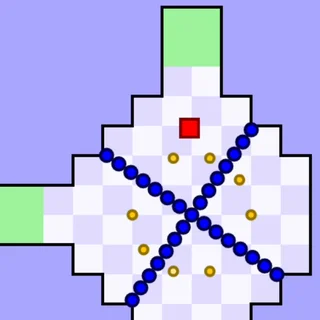
Red Ball 4 is a side-on platformer where you steer a rolling red ball through a world that has been overrun by angry squares. The squares want to turn the world into a cube, and the only thing standing in the way is a ball that can roll, jump and squash. Levels are short, the physics is forgiving but real, and a failed attempt costs a few seconds rather than a whole run.
It fits Icy Purple Head well. Icy Purple Head: Super Slide is all about momentum and reading terrain, and Red Ball 4 asks for the same instincts: how fast you are going on a slope decides whether you clear the next gap. The difference is that here you have direct control of the ball at all times, so it plays more like a platformer with puzzle rooms than a pure slide.
The game is made by FDG Entertainment and runs in the browser with nothing to install. Levels are grouped into volumes, each one a different setting with new hazards.
How to play
Use the left and right arrow keys (or A and D) to roll, and the up arrow, W or the space bar to jump. The catalogue note about mouse or touch input is generic; on a desktop the keyboard is what you want, and it is noticeably easier than a touch layout.
Each level is a route from the left to the exit. Along the way you will meet spikes, moving platforms, crates you can push, buttons and switches that open gates, and square enemies. Landing on top of a square enemy defeats it; touching one from the side or below does not end well. Some levels hide collectible stars, so a second, slower pass is worthwhile if you like completing things.
- Roll: left and right arrows or A and D
- Jump: up arrow, W or space
- Restart a level from the on-screen button if you get stuck or wedge a box
Tips
- Build speed before a long jump. The ball carries its momentum through the air, so a short run-up is often the difference between clearing a gap and dropping into it.
- Pushable boxes are usually there for a reason: they hold down a switch, or form a step. Before shoving one, check where it will end up, because a box stuck in a corner can force a restart.
- Jump onto enemies rather than trying to roll past them; a stomp is safer than a dodge.
- When a level looks impossible, look for a switch you have not touched yet before trying harder jumps.
Similar games on Icy Purple Head
If you want more physics thinking, Circloo and Sugar Sugar 2 are calmer and rely on careful placement instead of reflexes. Bloxorz is a tile-rolling puzzle with no jumping at all, and Icy Purple Head 2 and 3 stay closest to the site's slide-and-momentum theme.
Red Ball 4 suits both quick five-minute sessions and longer runs, since every level is short and self-contained.
Questions about Red Ball 4
Is Red Ball 4 unblocked at school?
Red Ball 4 runs in an ordinary browser tab from icypurplehead.org, with nothing to download or install, so it plays on most school Chromebooks and work computers. If a network filter blocks the site, only that network's administrator can change it.
What are the controls in Red Ball 4?
Roll with the left and right arrow keys or A and D, and jump with the up arrow, W or the space bar. There is also an on-screen restart button for each level.
How do I beat the square enemies?
Jump onto them from above. Touching them from the side or below is dangerous, so time your jump before you reach them.
Is Red Ball 4 free to play?
Yes. It runs in your browser on icypurplehead.org with no download or account.
Who made Red Ball 4?
It was developed by FDG Entertainment.